
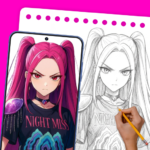
AR Art Draw: Trace & Paint is an app designed to help users create artwork by leveraging Augmented Reality (AR) technology. It transforms your phone into a virtual drawing tool, allowing you to project outlines onto any physical surface, such as a sheet of paper, and then trace them in real-time. This method enables users to draw from hundreds of built-in templates or by converting their own photos into traceable line art, making it accessible to visualize and replicate images.
Augmented Reality Tracing Workflow
The core functionality of AR Art Draw: Trace & Paint involves a straightforward AR-assisted tracing process. Users begin by positioning their phone, for instance, on a cup, to achieve a stable overhead view of their drawing surface. From there, an image can be selected from a library of built-in templates, which includes categories like anime characters, cartoons, animals, vehicles, and nature. Alternatively, users can import their own photos, which the app then automatically converts into a traceable outline. By looking through the phone’s screen, the projected image outline appears on the physical surface, allowing for real-time tracing.
Enhanced Drawing Tools and Image Support
To aid in the tracing process, the app incorporates several tools designed for precision and adaptability. Users can adjust the opacity of the projected image and utilize zoom controls for detailed tracing. Images can be mirrored or rotated to align with the user’s preferred drawing angle. For low-light conditions, a flashlight feature is available. The drawing frame can be locked to maintain a stable projection or reset as needed. Additionally, the app supports recording the entire creative process, allowing users to capture their drawing journey as time-lapse videos. It supports a wide range of built-in templates and enables users to import their own photos, converting them into traceable line art.
Personalized Progress Tracking
AR Art Draw: Trace & Paint includes a personal profile feature that allows users to track their creative development. Within this profile, users can monitor their drawing progress, view the time spent on various projects, and review completed artworks. The app also provides the functionality to mark favorite pieces and revisit past sketches, offering a way to observe skill growth over time.







Write a review